Maybe your one of those people who accidental clicked on "Become a Fan" on a page you did not really want to be a fan of, or you simply have become a fan of too many pages and now you want to clear up your favorite pages section whatever it may be it is an easy process. You you stop becoming a fan of a page it will no longer appear in your favorite pages section. If you would like to clear up all your pages and have none appear on your favorite pages section you would need to un-fan yourself from all the pages you are a fan of. Using the word un-fan with your permission.
Become a Fan has now been changed to Like. Now when you click on Like on a Facebook page you automatically become a fan. The way to not be a fan anymore is to click the 'Unlike'button on a page. Once you click on Unlike, the page is removed from your profile and you will not longer receive status updates from that page.

Please find below the older method.
How to remove myself from a Facebook page
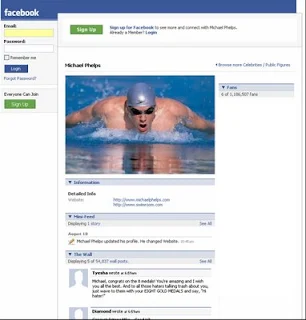
1. Login to your Facebook account.
2. Click on "Profile"
3. Click on "Info"
4. Under pages click on the page you would like to delete or remove.
5. You will be taken to the actual page.
6. Scroll all the way down to the bottom of the page, just below fans you will find "Remove Me from Fans"
7. Click on Remove me from fans
8. You're done
This page will no longer appear in your favorite page list and you will no longer be a fan of this page.
Become a Fan has now been changed to Like. Now when you click on Like on a Facebook page you automatically become a fan. The way to not be a fan anymore is to click the 'Unlike'button on a page. Once you click on Unlike, the page is removed from your profile and you will not longer receive status updates from that page.
How to Unlike Facebook pages
1. Login to Facebook
2. Go to the page you want to Unlike
3. Click on liked
4. At the bottom is the option to Unlike
5. Click on it and you're done.
Please find below the older method.
How to remove myself from a Facebook page
1. Login to your Facebook account.
2. Click on "Profile"
3. Click on "Info"
4. Under pages click on the page you would like to delete or remove.
5. You will be taken to the actual page.
6. Scroll all the way down to the bottom of the page, just below fans you will find "Remove Me from Fans"
7. Click on Remove me from fans
8. You're done
This page will no longer appear in your favorite page list and you will no longer be a fan of this page.
Comments
Post a Comment