Artificial intelligence tools are evolving rapidly, but every once in a while a new model arrives that gets people genuinely excited. Claude Fable 5 is one of those models. From writers and programmers to students, researchers, entrepreneurs, and everyday users, many people are discovering that Claude Fable 5 can do far more than answer simple questions. It can help you think, create, analyze, organize, and solve problems in ways that save hours of work. But what exactly should you use Claude Fable 5 for? In this guide, we'll explore the best uses for Claude Fable 5, explain why it stands out, and show practical examples you can start using immediately. What Is Claude Fable 5? Claude Fable 5 is Anthropic's advanced AI assistant designed to handle complex reasoning, writing, coding, research, analysis, and creative tasks. Unlike earlier AI systems that focused mainly on generating text, Claude Fable 5 is built to work with larger amounts of information, maintain context...
You know how difficult it can be when listening to an audio files and writing what you hear at the same time. Especially if you have to toggle between two screens. It can become quiet annoying when you are listening to an audio file and then you need to pause it before opening your text document to write down what you have just listened to. All this can be much easier if you can simple have down the audio file and the text file on the same screen and in the same app. This way it takes care of the pressure of switching between apps and just concentrate on one and get the job done.
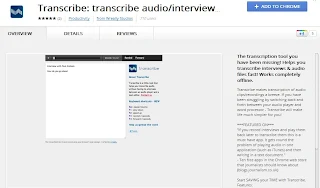
Transcribe is a Google Chrome extension that helps you get this whole thing done with one clear and smooth interface.
Transcribe: How it works
it is fairly simple to use, simply install the extension and then start uploading the files you want to convert from audio into text. You can upload either MP3 or Wav format. Once uploaded you can then begin the playback and start typing. The player has all the basic controls like stop, rewind, speed up, slow down etc. Once your done typing you can then copy paste your data.
Install Transcribe Google Chrome Extension
Comments
Post a Comment