Now that you have begun to cleanup your Timeline and make sure it is ready for public viewing, this is if you have just got Timeline as your new profile. If you have had Timeline for sometime and have been busy deleting posts and adjusting your Timeline. You might now want to check what you have posted on other people's profiles that is now showing up on your friends' Timelines. This will include all your posts, pics, images and videos. There is an option for you to quickly find all your posts and see all your posts that you have posted on other people's wall that is now showing up on their Timelines. The instructions below will help you on, how to delete a post on someone else's Facebook Timeline.
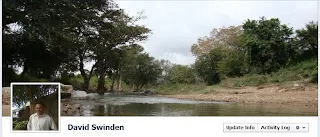
How to remove or delete your posts from other people's Timelines. (Including likes, events and other posts)
1. Login to Facebook
2. Click on your name to bring up your Timeline
3. Click on activity log
4. Click on 'All' found on the top right-hand corner
5. Choose 'Your Posts', this will bring up all your posts found all over Fb.
6. Find the post you want to delete and remove it, you cannot hide it as it is found on someone elses' Timeline. You will have to delete.
7. Once your satisfied you're done.
Comments
Post a Comment