This is a quick guide on how to rearrange Pinterest Boards also known as pinboards on Pinterest. This is especially important if you have a number of boards. Some people I follow have more than 30 boards and in fact this is not an uncommon thing, there are lots an lots of users who have a whole number of boards on Pinterest and with this option you can choose to show your boards in the order you want. With the ones you want to showcase the most appearing on top of your board order.
Can I rearrange the order of pins on a board?
The answer is no but the team at Pinterest have said they are working on this.
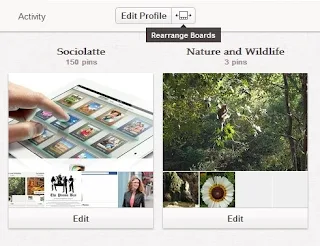
To rearrange your boards on Pinterest you would need to:
1. login to Pinterest
2. Click on your name
3. Choose 'Your Boards'
4. All your boards are now displayed
5. Drag and Drop boards
7. You can rearrange your boards in any order your choose.
Rearranging boards on Pinterest as as simple as Click on any board - keep pressing down while you drag the board to the place your want to put it. Release your hold and the board stays there.
Comments
Post a Comment